Award Certificates
Your Certificate
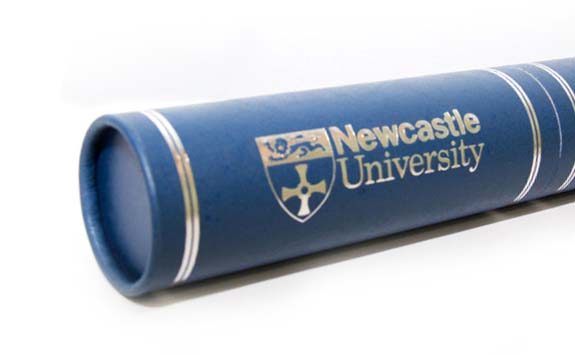
Your certificate is an official document which proves you have a Newcastle University qualification.
The printed copy of your certificate will be produced within 6 weeks of your final results being awarded.
If you receive your final results:
- near the time of a graduation ceremony: your printed degree certificate will be ready for you on the day of your ceremony.
- at any other time of year: we will contact you by email with options for delivery/collection.
Digital Certificate
Students who graduate from July 2018 onwards will receive an electronic Degree Certificate, in addition to the printed Certificate.
All digital documents are issued via Parchment (formerly known as Digitary): a secure and trusted provider of electronic documents.
We will release your electronic degree certificate to you through Parchment at the same time that we produce your printed certificate (within 6 weeks of when you receive your final results).
- An email will be sent to your University email address to let you know when a document has been issued to you. (You may wish to add the following email to your list of trusted senders: noreply.nu.docs@newcastle.ac.uk)
- Simply click on the link provided and follow the instructions.
- Your login details are your University Gateway user ID and password (e.g. the same details that you use for all University systems). You’ll need to log in to Parchment before your University IT account is deactivated.
- The first time you log in to Parchment, you must register a personal email address and password. This will allow you to access your digital documents in the future, after your University IT account expires.
Certificate Security
Each certificate is unique.
All ceritifcate contain Parchment security features (PDF: 130 KB) to prevent fraudulent use.
Although the University’s trading name is Newcastle University, the name University of Newcastle upon Tyne is still used on degree certificates.
What to do if you haven't received your printed certificate
Up to 6 weeks after you've completed your award:
- sit tight; it could take this long to reach you
Between 6 weeks and 1 year after completion:
- contact the Congregations Office
More than a year after completion:
- you'll need to apply for a Replacement Degree Certificate
What to do if you can't access your digital certificate
-
If you have used the Parchment system before to view your documents, when you first logged in you will have been asked to enter a personal email and password for future use. Please login via the Parchment homepage, using the personal email and password you have already registered.
-
To get a password reminder, use the Parchment | Can't sign in? option.
-
You can enter multiple emails here, if you cannot remember which email you added, and it will send reset instructions to the right one.
-
-
If you have never accessed Parchment before, and your University email has now expired, please follow the guidance and complete the form for Graduate Access to Parchment.
-
If you have used Parchment before, but the personal email you registered is no longer active/available to you, please complete the form for Graduate Access and enter a new personal email address.
You can find further guidance and troubleshooting guidance at Support FAQ - Parchment
Replacement Certificates
Only one copy of your degree certificate may be in existence at any one time. If your original degree certificate has been lost or destroyed you'll need to order a Replacement Degree Certificate. This costs £50.
We'll need:
- a scan or photocopy of your ID (passport or birth certificate)
- evidence of any name change between graduation and now, eg marriage certificate or Deed Poll certificate (if applicable)
If you still have your original certificate, you should request certified copies of your parchment instead.

What you need to know
The front of a Replacement Certificate looks like an original. On the back, the words 'Duplicate Issued' and the date of production appear.
Replacement Certificates will bear the name you used when you graduated.
There are only two situations where we can make a retrospective name change to a certificate:
- If an administrative error has occurred
- If we have to make a change under the provisions of the Gender Recognition Act 2004
When a Replacement Certificate is issued, your original becomes void. So don't order one if you still have your original, order certified copies instead (see below).
Each parchment is unique. It contains Parchment security features (PDF: 130 KB) to prevent fraudulent use.
Certified copies of certificate
Post-2018 Graduates
Graduates from 2018 onwards will have access to Parchment (formerly known as Digitary), which you will have an Electronic Certified Certificate. This document:
- is free
- can be accessed any time
- has the possibility to be securely shared directly with employers/other institutions
Pre-2018 Graduates
For Graduates who still have their original certificate or have copies of their original certificate, we certify them as true copies of an original document issued by Newcastle University.
What you need to do:
- order a Certified Copy of your Degree Certificate. The cost is £15 for two copies
We'll also need:
- a scan or photocopy of your ID (passport or birth certificate)
- a scan or two photocopies of your original certificate
- evidence of any name change between graduation and now (e.g. marriage certificate or Deed Poll certificate; if applicable)
We use a Newcastle University stamp and authorised signature on the front of the document.
Third Party Verifications
For verification requests please visit Results, Documents and Verifications page.